eBay item specifics: what they are, which ones matter, how to fill them
Why item specifics decide whether your eBay listing shows up when buyers filter, which ones eBay requires, and how to fill them quickly and correctly.
Ashish · 5 min read
A buyer searches eBay for "Levi's 501". There are thousands of results, so they click two filters on the left: Waist Size 32, Inside Leg 30.
Your jeans are a 32 by 30. Perfect fit. And they just disappeared from the results.
Not because of your title. Not because of your price. Because you left the Waist Size and Inside Leg fields empty, and eBay can't show a listing in a filter it has no answer for.
That's item specifics. They're the least exciting part of an eBay listing, and some of the most important.
What item specifics are
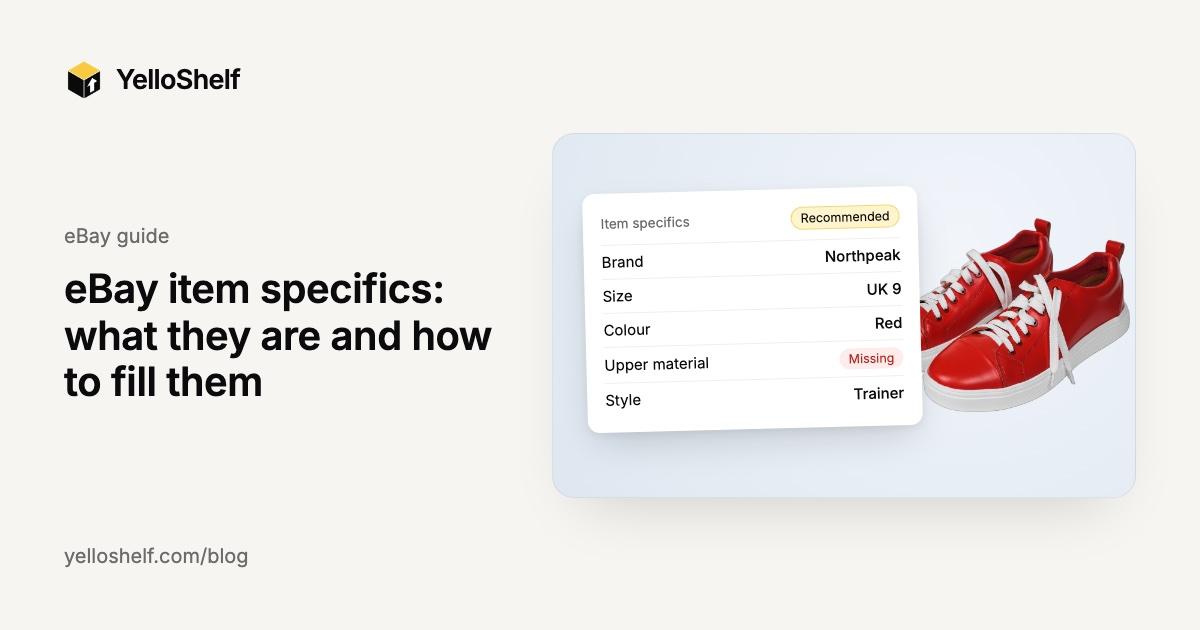
Item specifics are the structured details of your item: brand, size, colour, type, style, model, material and so on. They appear as a table on your listing, and they power the filters buyers click in search results.
eBay is direct about why they matter. Its Seller Centre says completed item specifics are essential for being found on eBay and on external search engines (eBay: item specifics). And if you leave out the recommended or required ones, your listing may not show when a buyer filters.
Your title gets you into the results. Item specifics keep you there once the buyer starts narrowing down.
The four kinds
In the listing form, eBay groups item specifics like this:
| Type | What it means | What to do |
|---|---|---|
| Required | The listing can't go live without it | Fill it, accurately |
| Required soon | Will become required on a date eBay shows | Fill it now, before it blocks a relist |
| Recommended | Based on what buyers search often | Fill every one that applies |
| Additional | Optional extra detail | Fill if it helps a buyer decide |
eBay ranks the recommended item specifics in the listing flow by what buyers have searched recently, with the most important at the top. Work from the top down.
How to fill them well
- Fill every recommended field that applies. Each empty one is a filter you can't appear in.
- Match your title exactly. If the title says "Blue, Size L", the Colour and Size fields say Blue and L. A mismatch confuses buyers and filters alike.
- Pick from eBay's list when it offers one. "Navy" from the dropdown matches the Navy filter. Typing "Dark navy blue" may not.
- Use the label. Brand, model number, style code and size are usually printed on the item or the box. Copy them exactly.
- Don't guess. If you're not sure of the material, check, or leave it blank. A wrong specific is worse than an empty one, because it leads to returns.
- Use "Does not apply" only when it truly doesn't, like Brand on an unbranded handmade item.
Item specifics by category
Which fields matter most depends on what you sell:
- Clothing and shoes: Brand, Size, Size Type, Colour, Style, Material, Department.
- Electronics: Brand, Model, MPN, Storage Capacity, Colour, Connectivity.
- Car parts: Manufacturer Part Number, Brand, Placement on Vehicle, plus compatibility.
- Home and garden: Type, Material, Colour, Room, Dimensions.
- Collectibles and vintage: Era, Year, Original or Reproduction, Maker.
Your listing form shows the exact list for your category. These are a guide to what buyers tend to filter by.
Fixing listings that are already live
You don't have to fix them one by one. In Seller Hub, go to Listings, then Active. There are quick filters for listings missing required, required soon or recommended item specifics. Select the listings and edit them in bulk.
Start with your best sellers and your most expensive items. That's where a missing filter costs you most.
A worked example
A made-up listing to show the process.
Title: Northpeak Stormline Mens Waterproof Rain Jacket Hooded Packable Blue L NP2231
Item specifics before: Brand: Northpeak. Everything else empty.
Item specifics after:
| Field | Value |
|---|---|
| Brand | Northpeak |
| Size | L |
| Size Type | Regular |
| Colour | Blue |
| Type | Rain Jacket |
| Department | Men |
| Outer Shell Material | Nylon |
| Features | Hooded, Packable, Waterproof |
| Style Code | NP2231 |
Every word in the title now has a matching field. A buyer filtering by Men, Size L, Blue or Waterproof will see it.
For the title side, see our guide to the eBay listing title format. If your listing still gets few views, our guide to why your eBay items aren't getting views goes through the other checks.
Writing the title and specifics together
The title and the item specifics should say the same things in two forms. Writing them separately is how they end up disagreeing.
In Product listings, pick eBay as where you sell. You add photos of your item and answer the questions a photo can't, like material or size. We look up what buyers search, show you the keywords with their monthly searches, and write the 80-character title, the item specifics and the description together, so they match. Anything you mark "Not sure" stays out rather than being guessed. You also get a suggested price from similar listings in your country.
Already have the listing live? Listing review scores it out of 100 from its link and lists the searches it misses.
We never change your eBay listing. You check it and paste it in.
Quick checklist
- Every required and required soon field filled.
- Every recommended field that applies filled, top down.
- Values picked from eBay's list where offered.
- Item specifics match the title word for word.
- Nothing guessed.
- Seller Hub quick filters used to fix live listings in bulk.
Your first Product listing or Listing review is free. After that, credit packs start at $10, with no subscription.
Made by the team behind YelloShelf
Get your eBay title and item specifics written together
Add photos of your item. We write an 80-character title, the item specifics and a description from what buyers search, and leave out anything you're not sure of.
- Your first listing or review is free
- Pay as you go credit packs from $10
- No subscription
- 7-day money-back guarantee on your first purchase
FAQ
What are item specifics on eBay?
Structured details about your item, such as brand, size, colour, type, model and material. They appear in a table on the listing, and eBay uses them for the filters buyers click in search results.
Are eBay item specifics required?
Some are. eBay marks item specifics as Required, Required soon, Recommended or Additional. Required ones must be filled before the listing can go live, and Required soon shows the date a field becomes mandatory.
Do item specifics help eBay search?
Yes. eBay says that without the recommended or required item specifics, your listing may not show in filtered results when a buyer uses the filters. eBay's Seller Centre calls completed item specifics essential for being found.
How do I find listings missing item specifics?
In Seller Hub, the Active listings page has quick filters for listings missing required, required soon or recommended item specifics, so you can fix them in bulk.