Why are my eBay items not getting views? Nine checks to run
The reasons eBay listings get few views, and why some get views but don't sell, checked against what eBay says its Best Match sort looks at, with a fix for each.
Ashish · 7 min read
You listed the item, it's active, and it's had a handful of views in two weeks. Meanwhile similar listings are selling. eBay doesn't tell you what's wrong with a particular listing, but it does publish what its default sort order, Best Match, looks at.
This guide turns that into nine checks. The first five are about views. The last four are about why an item gets views but doesn't sell.
How eBay decides what buyers see first
eBay lists these Best Match factors (eBay help: optimising for Best Match):
- How closely the listing matches the buyer's search terms
- How popular the item is
- The price of the item
- The quality of the listing, such as the description and photos
- How complete the listing is
- Your terms, such as return policy and handling time
- Your track record as a seller
eBay also says there's no secret to it. Sellers who follow good listing and selling practices see their items appear higher. Every check below comes back to one of those factors.
First: has it had time to show?
eBay says a new listing should show up in eBay searches within 24 hours. If it's newer than that, wait. If it's older, search eBay for your exact title. If it doesn't come up at all, check that the listing is active before you change anything else.
Check 1: Does the title use the words buyers search?
eBay says that when a buyer searches, its system finds the listing titles that closely match. That makes the title the biggest single reason for low views.
You get 80 characters. eBay says to use as many as you can, with the brand, model or type, colour, style and model number, and to avoid special characters and irrelevant words. "Nice watch great condition must see" matches almost nothing. "Ostrava Field Watch 38mm Automatic Steel Case Green Dial Leather Strap" matches the searches a buyer types.
Our guide to the eBay listing title format shows the order that works, with examples.
Most eBay listings with no views have a title problem. YelloShelf writes the eBay title from your product photo, based on what's already selling, so you have a stronger draft to start from. See how it works.
Check 2: Are the item specifics filled in?
Item specifics are fields like brand, size, colour, type and style. eBay's Seller Centre says completed item specifics are essential for being found on eBay and on external search engines (eBay UK: item specifics). They're required in a number of categories, including Fashion, Home and Garden, Toys and Games, and Vehicle Parts and Accessories.
eBay also shows item specifics rankings in the listing flow, based on what buyers searched in the past 30 days, with the most important ones at the top. Fill in as many as you can, starting from the top, and make sure they match your title.
Check 3: Is it in the right category?
eBay says to pick the category that's most relevant to your item, and you can also list it in a second category. A listing in the wrong category is easy to miss for buyers who browse, and it shows you the wrong item specifics to fill in.
Check 4: Is the price in line with what sold?
Price is one of the Best Match factors. Search for your item, tick Sold items in the filters, and compare your price with items in the same condition that actually sold. If yours is well above them, that can hold back both your views and your sales.
YelloShelf suggests a price based on what's already selling, which is a quick second opinion. If you can't lower it, the listing has to show why yours is worth more, such as better condition, the original box or extra accessories.
Check 5: Are the photos doing their job?
Listing quality, including photos, is a Best Match factor. eBay's advice:
- Use high-quality photos taken from every angle.
- Show any flaws or scratches.
- Don't add borders or text to your photos.
- Don't use the stock photo as the main picture if the item isn't brand new.
eBay says you can add up to 24 pictures for free, so there's no reason to stop at two.
Why your eBay items are not selling, even with views
If people are clicking and not buying, the problem is usually on the listing page itself.
Check 6: Is the total cost competitive?
Buyers look at the price plus postage. eBay's Best Match advice starts with competitive prices and reasonable postage. A high postage cost on a cheap item is an easy reason to move on.
Check 7: Are your terms clear?
eBay counts your return policy and handling time in Best Match, and asks you to state postage and handling costs, accepted payment methods and your return policy clearly. If any of those are missing, a buyer has a reason to pick someone else.
Check 8: Does the description answer the buyer's questions?
eBay asks for an accurate description, using product details from the eBay catalogue where you can. Say exactly what condition the item is in, what's included and any measurements that matter. A buyer who can't find an answer will usually buy elsewhere rather than ask. A YelloShelf description gives you the structure, and you add the condition details only you can see.
Check 9: Is it the right format?
eBay suggests an auction when you're not sure of the item's value or it's unique or hard to find. It suggests fixed price when you know the value, have several of the same item, or want the listing to show to buyers for more than 10 days. A fixed price well above market on a common item tends to sit unsold.
What about Promoted Listings?
Promoting a listing can put it in front of more buyers. With the general campaign strategy, eBay says you only pay a percentage of the sale amount when an item sells through clicks on your ad. It's worth trying once the checks above are done, because promoting an incomplete or overpriced listing just shows more people a listing they'll pass on.
A worked example
A made-up listing to show the order of checks.
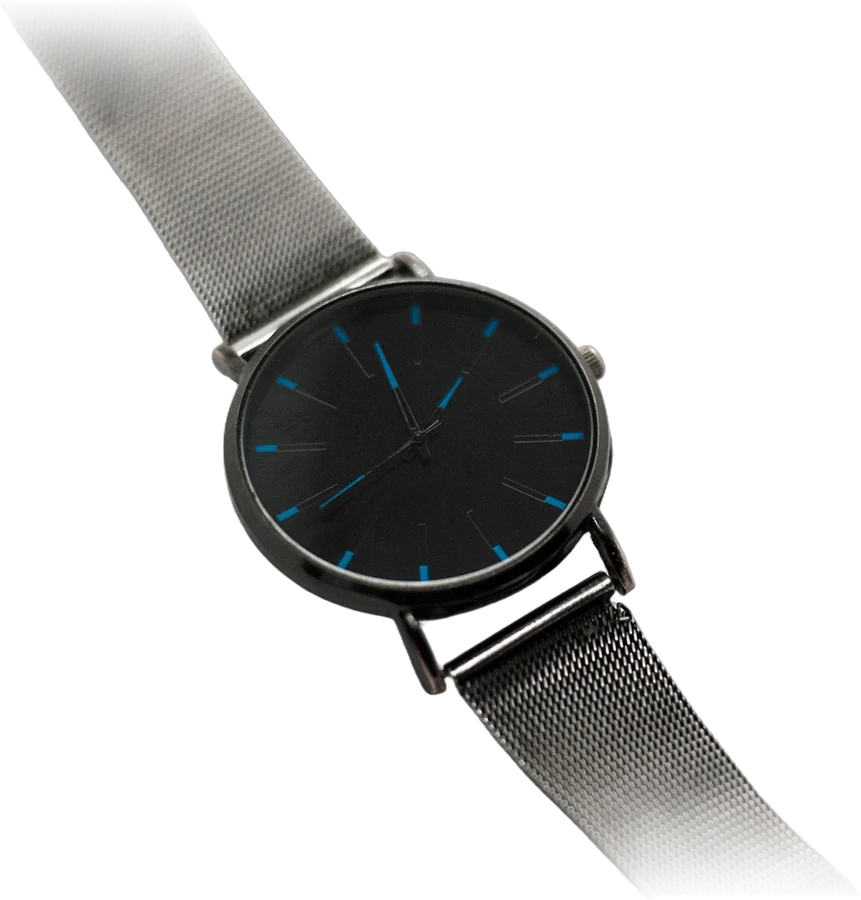
A seller lists a watch as "Mens Watch Green Nice". After two weeks it has a few views and no watchers.
- 1Time: well past 24 hours, and the listing is active.
- 2Title: five words, no brand or size. Rewritten as "Ostrava Field Watch 38mm Automatic Steel Case Green Dial Leather Strap".
- 3Item specifics: Movement, Case Size and Band Material were empty. All filled in.
- 4Price: about the same as similar sold watches, so left alone.
- 5Photos: two, both from the front. Six more added, including the back and a small scratch on the clasp.
The seller then waits a week before changing anything else, so it's clear which changes helped.
Quick checklist
- Listing active and older than 24 hours.
- Title built from the words buyers search, close to 80 characters.
- Item specifics filled in, matching the title.
- The most relevant category.
- Price compared with sold items in the same condition.
- Photos from every angle, flaws shown, no borders or text.
- Postage, handling time and returns stated clearly.
- A description that covers condition, what's included and measurements.
Fix eBay listings with YelloShelf
If the fix is a better title and description, YelloShelf can draft them. Upload a product photo and it writes an eBay title, a description and a suggested price, based on what's already selling. A YelloShelf price is a starting point, so still compare it with sold items. It also makes listing images sized for each marketplace it supports. It doesn't publish anything, so you check the draft and update the listing yourself.
It can make social posts for the same item too, with captions and hashtags for Instagram, TikTok, Pinterest, Facebook and X.
No subscription or free trial. Pay as you go credit packs from $10, with a 7-day money-back guarantee on your first purchase.
Made by the team behind YelloShelf
Rewrite eBay listings that aren't getting seen
Upload a product photo and get an eBay title, a description and a suggested price, based on what's already selling. You check it and paste it in yourself.
- Pay as you go credit packs from $10
- No subscription
- 7-day money-back guarantee on your first purchase
FAQ
Why are my eBay items not getting any views?
The most common reasons are a title that doesn't use the words buyers search, missing item specifics, the wrong category and a price well above similar items. eBay's Best Match sort looks at how closely a listing matches the search, how complete it is, the price and your selling terms.
How long does it take for an eBay listing to show in search?
eBay says that after you create a listing, it should show up in eBay searches within 24 hours. If it's been longer, check the listing is active and search for its exact title.
Why are my eBay items not selling even with views?
Views without sales usually point to the price, the postage cost, the photos or the description. Compare your total price with similar sold items, make sure the photos show the item from every angle, and describe any flaws clearly.
Does promoting a listing get more views on eBay?
Promoted Listings can put your item in front of more buyers. With the general campaign strategy, eBay says you only pay a percentage of the sale amount when an item sells through clicks on your ad. It works best on a listing that's already complete and fairly priced.
How many photos can I add to an eBay listing?
eBay says you can include up to 24 pictures for free. It recommends high-quality photos from every angle, showing any flaws, without borders or text.