Amazon product title guidelines: the 75-character rule, explained
Amazon's product title guidelines, from its own help pages: the 75-character limit, how Item Highlights work, the characters and phrases that get titles rejected, and how to cut a long title down.
Ashish · 9 min read
You open Manage All Inventory and find titles flagged that were fine last year. Or Amazon has shortened one for you, and it no longer reads like your product. Both come from the same place: Amazon's product title guidelines, which changed in 2026.
This guide goes through the rules as Amazon's product title requirements page states them, what Item Highlights are for, and how to cut a long title down without losing the words buyers search. It also shows how the title fits with your bullets, description, backend search terms and images, so you can use it as a starting point for the whole listing.
Amazon product title guidelines at a glance
| Rule | What Amazon says |
|---|---|
| Length | 75 characters or fewer, including spaces |
| Item Highlights | Up to 125 more characters, once the title is 75 or fewer |
| Banned characters | Exclamation marks, dollar signs, question marks, underscores, curly brackets, carets, ¬ and ¦ |
| Repetition | No word more than twice, brand names included |
| Promotion | No phrases like "free shipping" or "100% quality guaranteed" |
| Numbers | Numerals, so "2-Pack", not "Two-Pack" |
| Capitals | First letter of each word, never all caps |
The rules apply to all product types except media, in all Amazon stores except Saudi Arabia, Egypt, Türkiye and the United Arab Emirates.
The Amazon title character limit
Titles must not exceed 75 characters, including spaces. Punctuation counts too, so "Gold/Green" is 10 characters. Amazon gives its reason in the guidelines: mobile screens truncate long titles.
The limit ends the old habit of filling 200 characters with every keyword you could think of. Amazon's own examples make the point. "Amazon Essentials Women's Fleece Jacket, Black, Medium" is compliant. The same jacket described as super comfortable, perfect for cold weather and available in black is not.
A title also needs a minimum amount of information, enough to say clearly what the product is. Amazon's examples are as short as "Sony Headphones" and "Columbia Hiking Boots".
What changed with Amazon titles in 2026
Amazon's developer documentation on modular titles sets out the timing:
- From 27 July 2026, the two-part title structure applies to all non-media product types submitted through the Listings API and the listings feed.
- The rollout is gradual. Existing listings aren't affected until you submit an update, and you can move to the new structure at any time through 2026.
- Long titles are still accepted, for now. If you submit a title longer than 75 characters, up to 200, Amazon may split it across the title and Item Highlights itself.
- Titles that break the rules can be corrected or hidden. The title requirements page says an existing title that doesn't comply might be automatically corrected, or might not appear in search results.
That last point is the practical reason to rewrite your titles yourself. You choose the words, rather than reviewing someone else's.
Item Highlights: the other 125 characters
Once your title is 75 characters or fewer, you can fill a second field called Item highlights with up to 125 characters. Together that's 200, the same total as before, split into two fields.
What Amazon says about them:
- Write phrases, not sentences. Amazon's example is "USB-C, PPS Support, Cable not included".
- They show below the title, in search results and on the product page.
- They're searchable. The developer documentation says customers can find your product through the details in this field.
- Don't repeat the title. The field's own guidance says not to repeat information that's already in the item name.
- They need a short title first. If you send highlights with a title over 75 characters through the API or a feed, you get error 100476.
Use them for the details buyers compare on: materials, compatibility, recommended uses and key specifications.
The other title rules
The character count gets the attention, but most rejected rewrites fail on one of these:
- Special characters. Exclamation marks, dollar signs, question marks, underscores, curly brackets, carets, ¬ and ¦ aren't allowed. Symbols such as ~, #, < and > are only allowed when they mean something, like "Style #4301" or "<10 lb". Hyphens, forward slashes, commas, ampersands and full stops are fine where they're needed.
- No word more than twice. Prepositions, articles and conjunctions don't count. Brand names do.
- No promotional or subjective phrases. "Free shipping", "Hot item" and "Best seller" are all out.
- No restricted phrases, such as "FSA/HSA eligible".
- No all caps. Capitalise each word except short ones like "in", "and" or "the".
- Numerals and short units. "2-Pack Cotton Towels, 24 x 48 inches", with "cm", "oz", "in" and "kg" allowed as abbreviations.
- No brand? Enter "generic". Put "generic" in the Brand name field and leave a brand out of the title.
If your brand name itself contains a banned character, enter it in the Brand name field. Amazon says special characters there are exempt from the title rules.
Whether you write a title from scratch or start from a YelloShelf draft, run it against this list before you save it. It takes a minute and catches most rejections.
The word order Amazon recommends
Amazon's suggested order is brand, flavour or style, product type, key attribute, colour, size or pack count, model number. Its example is "Amazon Fresh Decaf Colombia Whole Bean Coffee, Medium Roast, 12 Ounce".
You won't use every slot. But working through them in order makes it easier to decide what stays in the title and what moves to the highlights. For some categories, such as phones, Amazon recommends including the model number, so check the style guide for yours.
A worked example: cutting a 166-character title
This is a made-up product. "Larkspur Optics" isn't a real brand.
Before (166 characters):
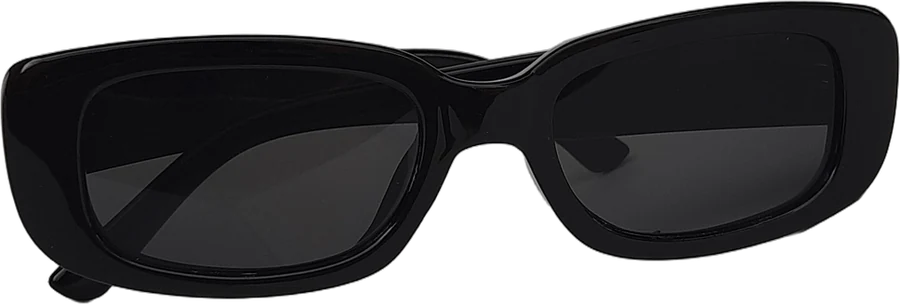
Larkspur Polarized Sunglasses for Women Men Retro Round Sunglasses UV400 Protection Lightweight Metal Frame Sunglasses for Driving Fishing Beach Gold Frame Green Lens
It's more than twice the limit, and "Sunglasses" appears three times, which breaks the repetition rule on its own.
Step 1: name the product. Brand, style, product type. "Larkspur Polarized Round Sunglasses" is 35 characters and already says what it is.
Step 2: add what buyers choose between. Amazon recommends keeping the most important variation details in the title. For sunglasses, that's the frame and lens colour.
Title (60 characters):
Larkspur Polarized Round Sunglasses, Metal Frame, Gold/Green
Step 3: move the rest to the highlights, most important first.
Item Highlights (90 characters):
UV400 lenses, retro style for women and men, lightweight 22 g frame, for driving and beach
Step 4: check what got lost. Nothing a buyer would search for. "UV400", "retro", "women", "men" and "driving" are all still searchable in the highlights. "Fishing" and other uses can go into your backend search terms.
Rewriting titles for a whole catalogue takes time. YelloShelf writes an Amazon title from your product photo, based on what's already selling in your category, so you start from a draft instead of a blank field. See how it works.
Parent and child titles
If you sell variations, Amazon's guidance is:
- Parent title: no size or colour. "Amazon Essentials T-Shirt".
- Child titles: add the variation. "Amazon Essentials T-Shirt, White, Medium".
The product page shows the parent title. The child title only appears once a shopper adds that variation to their cart. So "Available in Multiple Colors and Sizes" doesn't belong in the parent title, and Amazon uses it as a non-compliant example.
How the title fits with the rest of your listing
The title is one part of what Amazon uses to match your product to searches. The other parts each have their own job, and each phrase works best in one place:
- Title: what the product is, in 75 characters.
- Item Highlights: the details buyers compare, as short phrases.
- Bullet points: up to five points on features and benefits. See our Amazon bullet points examples.
- Description: more depth on use, benefits and specifications.
- Backend search terms: hidden synonyms, under 250 bytes. See our Amazon backend keywords example.
- Images: a compliant main image on white, then images that explain. See our guide to Amazon listing images requirements.
Amazon's discoverability guide says a title should be similar to what would appear on the physical packaging. That's a useful test. If the title wouldn't fit on the box, it's probably too long.
To find the words for each field, our guide to finding keywords for an Amazon listing for free covers the methods Amazon gives you at no cost. If you'd rather start with a draft, YelloShelf writes the title, bullets and description together, so the same phrase doesn't end up in three places.
How to update titles
- One listing: open Manage All Inventory, then edit the listing. The Item name and Item highlights fields sit together.
- Many listings: download your listings with the Category Listing report, edit them in an inventory file and upload the file. If you can't see the report, Amazon says Selling Partner Support can turn it on.
- API or feed: the title goes in
item_nameand the highlights intitle_differentiation.
Amazon says a title or highlights change can take 24 to 48 hours to show in search and on the product page. That's normal, so there's no need to resubmit or open a case in that window. If you're rewriting a lot of titles at once, a YelloShelf draft for each product can save you the first pass.
If a title has been suppressed or changed
- Suppressed: in Manage All Inventory, select "Search suppressed and inactive listings" to check. Fix the violation, and Amazon lifts the suppression once the title meets the rules.
- Changed by Amazon: brand owners can see affected titles in Review listing changes. You can edit titles and highlights at any time in Manage All Inventory if you disagree.
Before you accept a shortened title, check the numbers, pack counts, variation details and compatibility. They're the easiest things for an automatic rewrite to change.
Quick checklist
- Title is 75 characters or fewer, spaces included, and starts with the brand.
- No banned characters, no word more than twice, nothing promotional.
- The most important variation details are in the title.
- Item Highlights are short phrases, most important first, with nothing repeated from the title.
- Leftover synonyms are in your backend search terms.
- Parent titles have no size or colour.
If your listing is live but buyers can't find it, read why your Amazon product isn't showing up.
Write Amazon titles with YelloShelf
If you list a lot of products, YelloShelf can write the first draft. Upload a product photo and it writes an Amazon title, bullet points and a description, plus a suggested price, based on what's already selling. It also makes listing images sized for Amazon and the other marketplaces it supports. You check everything and paste it in yourself, since it doesn't publish to your store.
It can also make social posts for the same product, with captions and hashtags for Instagram, TikTok, Pinterest, Facebook and X.
No subscription or free trial. Pay as you go credit packs from $10, with a 7-day money-back guarantee on your first purchase.
Made by the team behind YelloShelf
Write Amazon titles from your product photos
Upload a product photo and get an Amazon title, bullet points, a description and a suggested price, based on what's already selling, plus listing images sized for Amazon.
- Pay as you go credit packs from $10
- No subscription
- 7-day money-back guarantee on your first purchase
FAQ
What is the character limit for Amazon product titles?
75 characters, including spaces, for all product types except media. Once the title fits, you can add up to 125 characters of Item Highlights, so the total is still 200 across the two fields.
Are Item Highlights used for search?
Yes. Amazon's developer documentation says Item Highlights are fully searchable, so customers can find your product through the details you put there. They show below the title in search results and on the product page.
Can I add Item Highlights if my title is over 75 characters?
No. Item Highlights can only be added once the title is 75 characters or fewer. Feed and API uploads that try it get error 100476, so shorten the title first.
Does the 75-character rule apply in every Amazon store?
Amazon's title requirements page says the rules apply to all product types except media, in all stores except Saudi Arabia, Egypt, Türkiye and the United Arab Emirates.
How long do Amazon title changes take to show?
Amazon says a successful title or Item Highlights update can take 24 to 48 hours to appear in search results and on the product page. If it still hasn't shown after 48 hours, edit and resubmit it or contact Selling Partner Support.