Walmart listing quality score: how it works and how to raise it
Walmart scores every listing on five things, and only one of them is the words. Here's what each part measures, Walmart's own rules for titles, descriptions, key features and images, and a listing fixed step by step.
Ashish · 7 min read
You open Seller Center, see a Listing Quality score you didn't expect, and the dashboard lists dozens of "issues". Some are about content, some about price, some about shipping. It's hard to know which ones matter and where to start.
This guide explains what Walmart's Listing Quality score is made of, using Walmart's own Marketplace Learn guides, then goes through the content rules field by field. Walmart's rules are stricter and more specific than most marketplaces, so a listing copied straight from Amazon or Shopify often breaks a few of them.
What the Listing Quality score measures
Walmart's score has five parts (Walmart Marketplace Learn: Listing Quality):
| Part | What it looks at |
|---|---|
| Content quality | Your item name, description, key features and images |
| Price competitiveness | Your price compared with similar products on other marketplaces |
| Shipping | Your promised delivery speed across ZIP codes |
| Published and in stock | How often the item was available over the last seven days |
| Ratings and reviews | How many reviews the item has and its average rating |
You get a score for each item, and a catalog score that's the average of your item scores. Walmart notes that items over 50 pounds, or listed at $10 or less, aren't included in the shipping part of the calculation.
Only the first part is about writing. The others depend on your price, stock and fulfilment. That's worth knowing before you spend a day rewriting titles: if an item's weak point is shipping speed or being out of stock, better words won't fix it. The dashboard shows which part is pulling each item down.
The content rules, field by field
Walmart's product detail page policy says your title, description, key features, images and attributes help decide how items appear in search and browse results. It also sets out what's allowed and what isn't for each field (Walmart Marketplace Learn: product detail page policy).
Product title
- 150 characters or fewer. Clear and descriptive, with proper capitalization.
- Include key attribute values, like "5 in", "4 count" or "12 oz".
- No all caps or special characters like ~ ! * $.
- No promotional claims, like "free shipping", "best-selling", "premium quality" or "low price".
- No other retailer names or URLs, unless the name is part of the brand.
- No years (like 2025) unless the content standards for your product type ask for one.
- No repeated keywords, multiple brands or multiple product types.
A useful order is brand, then what the product is, then the details a shopper filters by, like size, count or colour.
Description
This is where Walmart differs most from other sites:
- One paragraph of at least 150 words. Word count requirements vary by category, so check the content standards for yours.
- No bullet points or numbered lists in the description. Those belong in key features.
- No emojis or special characters, no external URLs and no promotional claims.
- Include the product name, brand and words shoppers are likely to search for, naturally.
If you're reusing a description from your own site or another marketplace, this is usually the field that needs the most work, because it's often a list.
Key features
- Three to ten features, most important first.
- 80 characters or fewer per feature, spaces included.
- No special characters used as bullets, no HTML and no numbered lists.
Key features are the closest thing Walmart has to Amazon bullet points, but they're much shorter. A feature like "Adjusts from 5 to 25 lb in 5 lb steps with a turn of the dial" (61 characters) fits. A full Amazon-style bullet with a header and two sentences won't. Our guide to writing Amazon bullet points covers the thinking behind good features, but trim them hard for Walmart.
Images
Walmart's image guidelines ask for (Walmart Marketplace Learn: image guidelines):
- Square images, 2200 x 2200 pixels, with at least 1500 x 1500 for zoom.
- JPEG, JPG, PNG or BMP, 5 MB or less. GIFs aren't allowed.
- A pure white background (RGB 255, 255, 255) on the main image.
- No watermarks, logos, text or promotional language on the main image, and no accessories that don't come with the item.
- At least four images per listing, as a recommendation.
- Crop close to the product, and don't stretch small images to fill the space.
Walmart also says images generated by AI must be truthful, accurate and not misleading, and the same goes for AI-written text. Whatever tool you use, you're responsible for checking it matches the product.
Attributes
Fill in as many attributes as you accurately can, with values that match the attribute. Walmart's examples of what not to do include "purple" in a weight field and "16 oz" in a colour field. Attributes power the filters on Walmart.com, so an empty one can keep you out of a filtered search.
How to work through the dashboard
- 1Sort by the items that matter. Start with your best sellers or the items with the most traffic, not the whole catalog.
- 2Check which part is low. If it's content, carry on below. If it's price, shipping or stock, that's a different fix.
- 3Fix the title first, then key features, then the description, then images.
- 4Use the bulk editor for patterns. Walmart's Bulk Attribute Editor lets you update names, descriptions, key features and images across many items at once. If the same problem shows up across a range, like promotional words in every title, fix it in one go.
- 5Give it time. Changes can take a while to show on Walmart.com and in the score.
A worked example
This is a made-up listing to show the process. "Kestrel Fitness" isn't a real brand.
Before:
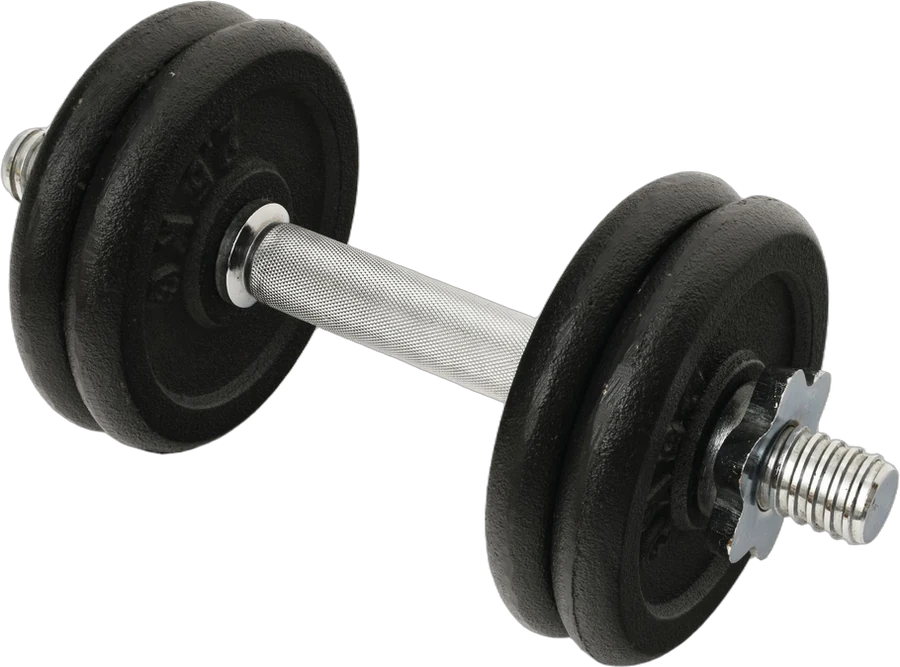
- Title: "BEST Adjustable Dumbbell 2026!! Free Shipping - Kestrel Dumbbell Weights Dumbbell Set"
- Description: a five-item bullet list pasted from another site.
- Key features: two, each over 150 characters.
- Main image: the dumbbell with a "25 LB!" badge in the corner.
Problems: all caps, special characters, a year, a promotional claim, repeated keywords, a list in the description, too few key features and too long, and text on the main image.
After:
- Title: "Kestrel Fitness Adjustable Dumbbell, 5 to 25 lb, Single, Dial Select, Black" (75 characters)
- Description: one paragraph of about 170 words, covering what it is, how the dial works, the weight steps, the footprint compared with a rack of fixed weights, the grip, and what's in the box.
- Key features: five, each under 80 characters, starting with the weight range.
- Main image: the dumbbell alone on white, at 2200 x 2200 pixels, with the badge moved to a secondary image as a plain size comparison.
Nothing about the product changed. The listing just followed the rules it was being scored against.
If you're doing this across a catalog
Rewriting a description as one 150-word paragraph and cutting features to 80 characters for every item is slow, especially when the same products are on other marketplaces in a different shape. Our guide to selling on several platforms covers how to keep one source of truth.
YelloShelf is a paid tool that drafts listing copy from your product photos. It doesn't have a free plan or trial. You buy a credit pack, starting at $10, and your first purchase comes with a money-back guarantee. We're helping you remove the manual, tedious, time-consuming work. You still read it, edit it and paste it in yourself, and for Walmart that means checking it against the rules above.
Quick checklist
- Check which of the five parts is pulling each item's score down.
- Title 150 characters or fewer, no caps, symbols, years or promo words.
- Description one paragraph of 150 words or more, no lists.
- Three to ten key features, 80 characters or fewer each.
- Square images at 2200 x 2200 pixels, white background on the main one.
- Attributes filled in with values that match the field.
- Start with best sellers, use the bulk editor for repeated problems.
FAQ
What is a good Walmart Listing Quality score?
Walmart doesn't publish a single target in the guide we used. Treat the score as a way to find weak items. Look at which of the five parts is lowest for each listing and fix that first.
How long can a Walmart product title be?
Walmart's product detail page policy says titles should not exceed 150 characters. Keep them clear, with key attributes like size or count, and without promotional words.
Can I use bullet points in a Walmart description?
No. Walmart's policy lists bullet points and numbered lists as prohibited in the description. Put that kind of information in the key features field instead, with three to ten features of 80 characters or fewer each.
What size should Walmart product images be?
Walmart's image guidelines ask for square images at 2200 x 2200 pixels, with a minimum of 1500 x 1500 for zoom, under 5 MB, and a pure white background on the main image.
Does price affect the Listing Quality score?
Yes. Price competitiveness is one of the five parts. Walmart compares your price against similar products on other marketplaces, so a listing with great content can still score lower if the price is out of line.
Made by the team behind YelloShelf
Rather not redo all of this for every product?
Upload your product photos and YelloShelf writes the title, description, bullet points, tags and a suggested price for each platform you sell on, from real market research. You check it, edit it and paste it in.
Try YelloShelf