How to write Amazon bullet points (with examples)
Most Amazon bullet points break at least one rule nobody told the seller about: all-caps headers, abbreviations, end punctuation. Here are Amazon's current rules and a full before and after example.
Ashish · 7 min read
Here's what usually happens. You write five bullet points, they look fine, and a few weeks later you notice Amazon has rewritten one, or a listing has a warning you can't quite decode. Somewhere in your bullets there was an emoji, a "100% satisfaction guarantee" or a header in ALL CAPS, and Amazon's rules say content like that may be removed or updated.
Bullet points matter more than most sellers treat them. After the title and photos, they're where buyers decide whether the product works for them. Amazon also says well-written bullets can help a product show up in search (Amazon help: product bullet point requirements).
This guide covers Amazon's current bullet rules, including the formatting details most guides skip, then rewrites a full set of bullets for one product. If you're also reworking your title, read our post on the 75-character title rule and Item Highlights first, because what goes in the title changes what your bullets need to say.
Amazon's bullet point rules, from the source
Amazon's bullet point requirements page lists these writing guidelines:
| Rule | What it means in practice |
|---|---|
| Start with a capital letter | "Battery life: Up to 8 hours", not "battery life: up to 8 hours" |
| At least three bullet points | Five is the usual number of slots, three is the minimum |
| Character limits vary by product type | There's no single number for every category, so check your category's template |
| Sentence fragments, no end punctuation | No full stop at the end of a bullet |
| Semicolons between phrases | "Fits most ears; three tip sizes included" |
| Spell out one to nine | "Three tip sizes", except in names, model numbers and measurements |
| Space between number and unit | "60 ml", not "60ml" |
| Header, then a colon | "Cotton fabric: Made from 100% cotton" |
Older versions of the page gave a range of more than 10 and fewer than 255 characters per bullet, and you'll still see that quoted everywhere. The current page says limits vary by product type, so treat 255 as a ceiling rather than a target, and check the template for your category.
One small trap: Amazon's title rules say to use numerals ("2-Pack"), while its bullet rules say to spell out one to nine ("Two tips"). It feels inconsistent, but those are the rules for each field.
What gets bullets removed or rewritten
Amazon says bullets containing any of these may be removed or updated:
- Special characters such as ™, ®, €, …, †, ‡, ¢, £, ¥, ©, ±, ~
- Emojis, including ticks and crosses
- Placeholder text like "N/A", "not applicable", "TBD" or "copy pending"
- ASINs
- Prohibited claims like "eco-friendly", "environmentally friendly", "anti-bacterial", "made from bamboo" or "contains soy"
- Guarantee information like "Full refund" or "If not satisfied, send it back"
- Company information, website links or contact details
- The same information in more than one bullet
- All caps, like "ELEGANT DESIGN"
- Abbreviations like "qty", "pkg", "w/" or "approx."
- Things that have their own field, such as fabric content, care instructions and country of origin
That last one surprises people. If your category has a field for country of origin, "Made in Portugal" in a bullet is repeating it.
Amazon also asks you to avoid subjective, performance or comparative claims unless they're verifiable on the packaging, not to compare yourself with competitor brands, and not to mention awards or survey results without the details to back them up.
A before and after example
This is a made-up product to show the process. "Tidewell" isn't a real brand.
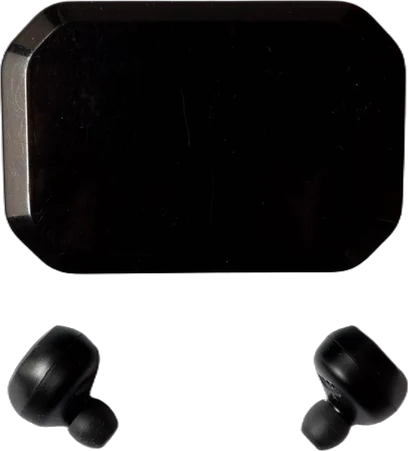
The product is a pair of wireless earbuds with a charging case.
Before:
[headphone emoji] AMAZING SOUND QUALITY [headphone emoji] Tidewell earbuds deliver the BEST sound you've ever heard, better than AirPods at half the price!
LONG BATTERY: approx 8 hrs playtime w/ 32 hrs total from case.
COMFORTABLE FIT. 3 sizes of ear tips. Comfortable for all-day wear. Very comfortable!
WATERPROOF: Perfect for the gym, running, swimming, showers and more!!
100% SATISFACTION GUARANTEE: If you don't love them, send them back for a full refund. Visit tidewell.com for more.
Count the problems: emojis (we've written them out here), all-caps headers, "best" and "better than AirPods" (a subjective claim and a competitor comparison), "approx", "hrs" and "w/", end punctuation, "3" written as a numeral, "comfortable" three times, a guarantee, a website link, and "waterproof" next to swimming for a product that isn't rated for it.
After:
Battery life: Up to 8 hours of playback per charge and 32 hours in total with the charging case
Secure fit: Three sizes of silicone ear tips included; the stem shape stays put during walks and workouts
Sweat resistant: IPX4 rated against sweat and light rain; not suitable for swimming or showering
Clear calls: Two microphones in each earbud reduce background noise; tap to answer, end or mute a call
Easy pairing: Bluetooth 5.3; opening the case reconnects the earbuds to the last device you used
Each bullet starts with a short header, covers one idea and answers a question a buyer would actually ask. The numbers are specific. The water rating is honest, which saves you returns from swimmers. And nothing in the bullets repeats the title.
How to decide what goes in your five bullets
The rules tell you what to avoid. They don't tell you what to say. Here's an order that works for most products:
- 1List the questions buyers ask before buying. Look at the questions and 1 to 3-star reviews on your listing and on similar products. "Does it fit small ears?" and "can I swim with them?" are bullets waiting to be written.
- 2Rank them by how often they come up. The most common question goes first, because some shoppers only read the first two bullets.
- 3Answer each one with a number or a specific fact. "Up to 8 hours" beats "long-lasting". "Three ear tip sizes" beats "comfortable fit".
- 4Add the limitation if there is one. "Not suitable for swimming" costs you nothing with the right buyer and saves you a return from the wrong one.
- 5Check against your title and highlights. If something's already there, use the bullet for something new.
Bullets and search
Amazon says bullets can increase discoverability, so it's worth using the words buyers search for. But keep them readable. A bullet like "earbuds wireless bluetooth earbuds for running earbuds gym" breaks the "clear, natural language" guideline and reads like spam to the person deciding whether to buy. The stray search phrases that don't fit naturally belong in your backend search terms, where shoppers never see them.
If you're not sure which phrases to use, our guide to finding keywords for your Amazon listing covers the free ways to see what buyers type. The same idea applies off Amazon too: our guide to product descriptions covers how to write about features in a way buyers believe.
How to add or edit bullet points
- One product: go to Manage Products, find the product, choose Edit from the Actions column, open the Product Details tab and fill the Bullet Point fields. Select Save and finish.
- Many products: download a category-specific inventory file template from the Spreadsheet tile under Add products, fill the bullet columns and upload it.
When you've got more than a handful of products
Writing five good bullets for one product takes about half an hour once you've done the research. For 50 products, across Amazon and the other places you sell, it's a week of your evenings. YelloShelf writes the first draft for you. It works from your product photos and the details you give it, checks what similar products say and what buyers search for, and writes bullets that follow Amazon's formatting rules, along with the title, highlights and search terms. It won't invent battery life or a water rating. It doesn't have a free plan or trial. You buy a credit pack, starting at $10, and your first purchase comes with a money-back guarantee. We're helping you remove the manual, tedious, time-consuming work. You still read it, edit it and paste it in yourself.
Quick checklist
- At least three bullets, each starting with a capital letter and a short header with a colon.
- No end punctuation, no emojis, no all caps and no abbreviations like "w/" or "approx."
- One to nine written as words, except in measurements and model numbers.
- No guarantees, links, competitor names or claims you can't back up.
- Each bullet says something the title and the other bullets don't.
FAQ
How many bullet points can you have on Amazon?
Amazon asks for at least three bullet points, and most categories give you five slots. Use all five if you have five useful things to say, and fewer if you don't.
What is the character limit for Amazon bullet points?
Amazon's current guidance says bullet point character limits vary by product type. Older guidance said more than 10 and fewer than 255 characters per bullet, so treat 255 as a ceiling and check your category's template for the exact number.
Can I use emojis or symbols in Amazon bullet points?
No. Amazon lists emojis and special characters like ™, ®, ©, € and ~ as prohibited in bullets, and bullets that contain them may be removed or updated.
Should Amazon bullet points end with a full stop?
No. Amazon asks for bullets formatted as sentence fragments without end punctuation. Use semicolons to separate phrases inside a bullet.
Do Amazon bullet points help with search?
Amazon says well-written bullets can increase product discoverability in search results. Use the words buyers search for, but keep them readable, and put leftover synonyms in backend search terms instead.
Made by the team behind YelloShelf
Rather not redo all of this for every product?
Upload your product photos and YelloShelf writes the title, description, bullet points, tags and a suggested price for each platform you sell on, from real market research. You check it, edit it and paste it in.
Try YelloShelf