Amazon's 75-character title rule and Item Highlights, explained
Amazon now caps titles at 75 characters and gives you 125 more in Item Highlights. Here's exactly what the rule covers, what happens if you ignore it and how to split a long title without losing search words.
Ashish · 8 min read
You fix one title. Then you open Manage All Inventory and find a few hundred more flagged, or you spot that Amazon has already suggested a shorter version of your title and it isn't how you'd describe your product at all.
That's the 75-character title rule in practice. It's not complicated, but the details matter: which stores it covers, what Item Highlights can and can't do, and what Amazon does to titles nobody fixes. This post goes through all of it, using Amazon's own help pages, and then splits a real-looking title step by step.
If you want the wider picture first, including bullets and backend search terms, start with our Amazon listing optimization guide. This post goes deeper on the title itself.
The rule in one paragraph
Your product title, which Amazon calls the Item name, can be 75 characters or fewer, including spaces. Once it's within that limit, you can fill a second field called Item highlights with up to 125 characters of short, comma-separated phrases. Together that's still 200 characters, the same total you had before, just split into two fields (Amazon title requirements, Amazon's title FAQ).
Which products and stores it applies to
According to Amazon's title requirements page, the rule applies to all product types except media, in all Amazon stores except Saudi Arabia, Egypt, Türkiye and the United Arab Emirates. So books, music and films are out. A phone case, a candle or a pair of sunglasses is in, whether you sell in the US, the UK, Germany or India.
What else your title has to pass
The character count gets the headlines, but Amazon's title requirements have a few more rules that trip people up when they rewrite:
- No banned characters.
! $ ? _ { } ^ ¬ ¦aren't allowed. Symbols like~ # < > *are only allowed when they mean something, like "Style #4301" or "<10 lb", not as decoration. - No word more than twice. Small words like "and", "with" and "the" don't count, but your brand name does.
- No promotional phrases. "Free shipping", "100% quality guaranteed", "Hot item" and "Best seller" are all out.
- No restricted phrases, like "FSA/HSA eligible".
- No all caps. Capitalise the first letter of each word, except short words like "in", "and" or "the".
- Use numerals. "2-Pack", not "Two-Pack".
- No brand? Don't invent one. If your product doesn't have a brand, Amazon says to enter "generic" in the Brand name field and leave the brand out of the title.
Amazon also suggests an order: brand, flavour or style, product type, key attribute, colour, size or pack count, model number. You don't have to use every slot, but keeping that order makes the trimming decisions easier.
What Item Highlights are, and what they aren't
Item Highlights are the new home for the details that used to sit at the end of a long title. A few things Amazon has confirmed:
- They're searchable. Amazon's FAQ says the Item name and Item highlights are both inputs for search, and neither is prioritised over the other. Moving a phrase from the title to the highlights doesn't hide it from search.
- They show under the title. Since 10 August 2026, highlights display beneath the Item name on desktop and mobile, in search results and on the product page.
- Not every character is visible. Amazon says how much shows depends on the screen. So put the phrase that matters most first.
- They're phrases, not sentences. Amazon's example is "USB-C, PPS Support, Cable not included".
- Don't repeat the title. Amazon's developer documentation for the field says not to repeat information that's already in the item name (Amazon developer docs).
- You only get them once the title fits. Highlights can't be added while the title is over 75 characters. If you upload through a feed or the API, Amazon returns error 100476 if you try.
What they aren't is a second keyword dump. Shoppers read them right under your product name, so "uv400 polarised sunnies shades glasses" looks just as messy there as it did in the old title. Keep the stray synonyms for your backend search terms.
What Amazon does if you leave a long title alone
This is the part most sellers worry about, so here's exactly what Amazon has said:
- 1From 27 July 2026, Amazon started recommending shorter titles for listings that don't meet the rule, generated by AI from your existing title.
- 2Brand owners get 14 days to review, change or approve those suggestions in Review Listings Changes before they're applied.
- 3The changes roll out through 2026, and your listings stay active, editable and searchable in the meantime.
- 4You can change the result at any time in Manage All Inventory or with the List Your Products tool.
Amazon's title page adds one more warning: a title that doesn't comply might be automatically corrected, or it might not appear in search results. That's the real reason to fix titles yourself. You get to choose the words instead of reviewing someone else's.
How to split a long title: a worked example
This is a made-up product to show the process. "Larkspur Optics" isn't a real brand.
Before (166 characters):
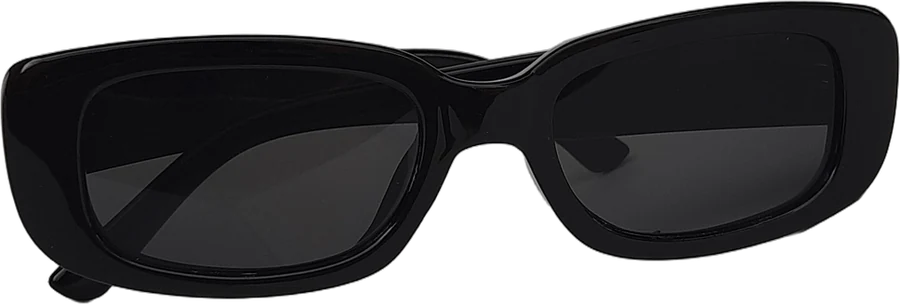
Larkspur Polarized Sunglasses for Women Men Retro Round Sunglasses UV400 Protection Lightweight Metal Frame Sunglasses for Driving Fishing Beach Gold Frame Green Lens
Three problems straight away. It's more than twice the limit, "Sunglasses" appears three times, and "Frame" twice with no punctuation to make it readable.
Step 1: write the product name first. Brand, style, product type. "Larkspur Polarized Round Sunglasses" is 35 characters and already says what it is.
Step 2: add what buyers choose between. Amazon recommends keeping the most important variation details in the Item name. For sunglasses, that's frame and lens colour, which shoppers filter and compare on.
Item name (60 characters):
Larkspur Polarized Round Sunglasses, Metal Frame, Gold/Green
Step 3: move the rest to highlights, most important first.
Item highlights (90 characters):
UV400 lenses, retro style for women and men, lightweight 22 g frame, for driving and beach
Step 4: check what got lost. Nothing a buyer would search for. "UV400", "retro", "women", "men", "lightweight", "driving" and "beach" are all still searchable in the highlights. "Fishing" and other uses can go into backend search terms. And the title now reads like a product name, which helps on a small phone screen where long titles get cut off.
Parent and child titles
If your product comes in sizes or colours, the rule plays out a little differently. Amazon's guidance:
- Parent title: leave size and colour out. "Larkspur Polarized Round Sunglasses".
- Child titles: add the specific variation. "Larkspur Polarized Round Sunglasses, Metal Frame, Gold/Green".
The product page shows the parent title. The child title only appears once a shopper adds that variation to their cart. So don't write "Available in 6 Colours" in the parent. It wastes characters, and Amazon lists it as a non-compliant example.
How to update titles, one at a time or in bulk
- One listing: Manage All Inventory, then Edit. You'll find the Item name and Item highlights fields together.
- Many listings: download the Category Listings report. It comes pre-filled with your current listings, with the Item highlights column next to Item name. Edit both, save and upload it with the List Your Products tool. Amazon says bulk updates are typically processed within about eight hours.
- Through the API or a feed: the title goes in
item_nameand the highlights intitle_differentiation, per Amazon's developer documentation.
Whatever the route, Amazon says a title or highlights change can take 24 to 48 hours to show in search and on the product page. That delay is normal, so there's no need to resubmit or open a case unless it's been longer.
Reviewing an AI title Amazon suggested
If Amazon has already proposed a title for you, don't approve it on autopilot. Check:
- Numbers. Pack counts, sizes, capacities and model numbers. One seller on Amazon's forums reported listings being changed to a "3 pack" because the company name contained a 3.
- The variation details. Is the colour or size still in the Item name for child listings?
- Compatibility. "Fits iPhone 15" or "for 12 inch frames" is easy for an automated rewrite to drop.
- Claims. Nothing should appear that isn't true of your product.
- Your brand. Amazon recommends keeping it in the Item name.
Doing this for a whole catalogue
Splitting one title takes ten minutes. Splitting 300, while checking each against the search terms buyers actually use, takes weeks. That's the part YelloShelf handles. You upload your product photos, it looks at live Amazon results and real monthly search numbers for products like yours, then writes a 75-character title, Item Highlights, bullet points and backend search terms that fit the rules. It doesn't have a free plan or trial. You buy a credit pack, starting at $10, and your first purchase comes with a money-back guarantee. We're helping you remove the manual, tedious, time-consuming work. You still read it, edit it and paste it in yourself.
Quick checklist
- Item name is 75 characters or fewer, spaces included, and starts with your brand.
- No banned characters, no word more than twice, no promotional phrases.
- The most important variation details are in the Item name.
- Item highlights are comma-separated phrases, most important first, with nothing repeated from the title.
- Leftover synonyms go in backend search terms, and the details buyers need to decide go in your bullet points.
FAQ
Does Amazon's 75-character title limit include spaces?
Yes. Amazon's title requirements say titles must not exceed 75 characters, including spaces. Punctuation counts too, so "Gold/Green" is 10 characters.
Do Item Highlights help search as much as the title?
According to Amazon's FAQ, yes. Item name and Item highlights are both used for search, and neither is prioritised over the other. The title still matters more for clicks, because it's the first thing shoppers read.
Can I add Item Highlights if my title is 76 characters?
No. Item Highlights can only be added once the Item name is 75 characters or fewer. Feed and API uploads that try it get error 100476, so shorten the title first.
Does the 75-character rule apply in every Amazon store?
It applies to all product types except media in all Amazon stores except Saudi Arabia, Egypt, Türkiye and the United Arab Emirates, according to Amazon's title requirements page.
How long do title changes take to show on Amazon?
Amazon says a successful title or highlights update can take 24 to 48 hours to appear in search results and on the product page. If it still hasn't shown after 48 hours, edit and resubmit or contact Selling Partner Support.
Made by the team behind YelloShelf
Rather not redo all of this for every product?
Upload your product photos and YelloShelf writes the title, description, bullet points, tags and a suggested price for each platform you sell on, from real market research. You check it, edit it and paste it in.
Try YelloShelf